
1. Access
Click the “Access Checklist Fácil” button to go to the Checklist Fácil login area
Checklist Fácil Login
Apply checklists and access Checklist Fácil’s features and AI capabilities
Click the “Access Checklist Fácil” button to go to the Checklist Fácil login area
Click the “Access Checklist Fácil” button to go to the Checklist Fácil login area
Once in the login area, enter your registered email or username and click Continue
Enter your registered password and click Sign In.
Remember that your password must have at least:
One special character
One uppercase letter
One lowercase letter
One number
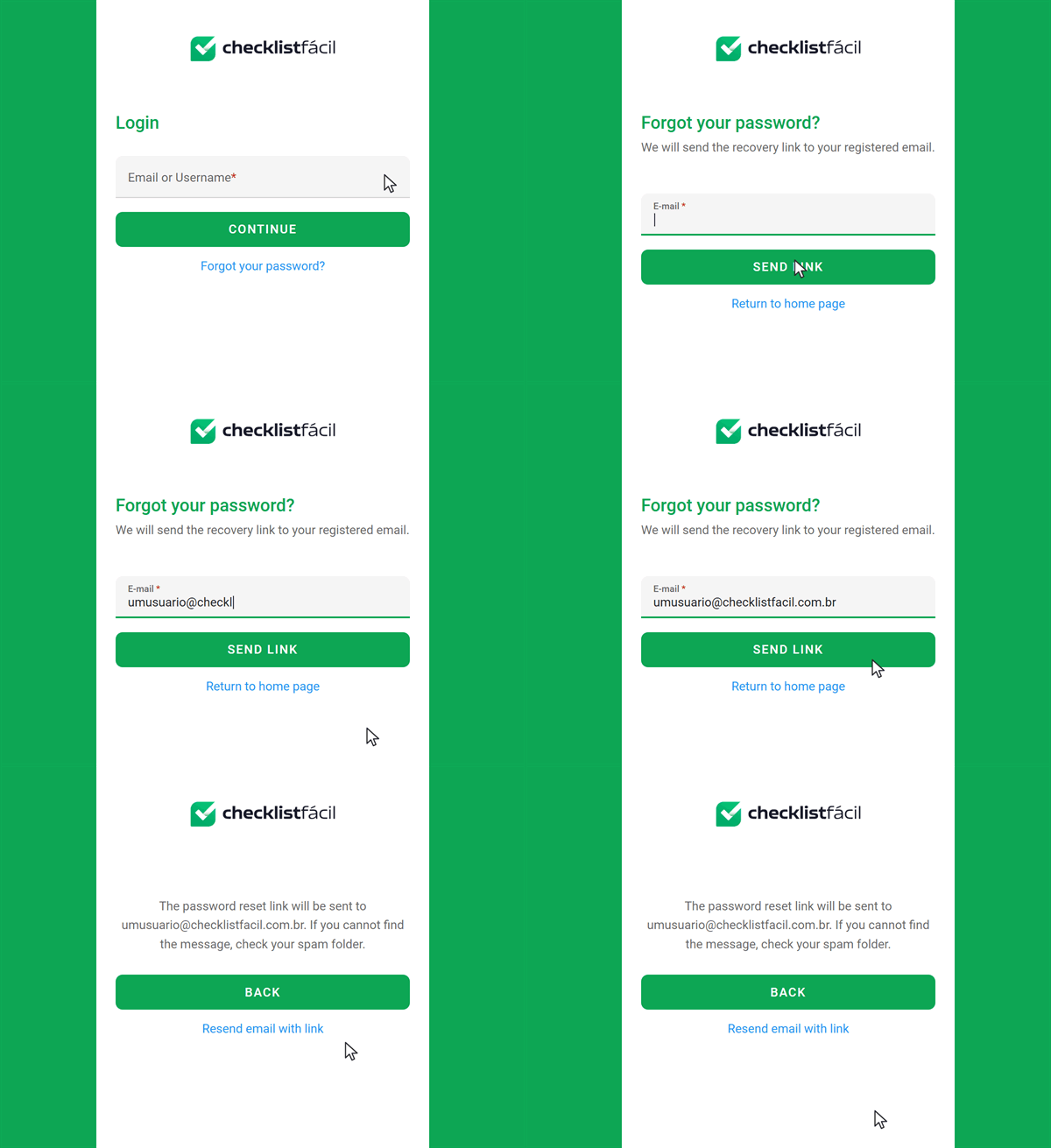
Don’t worry! You can recover it in just a few steps in the login area.
On the Checklist Fácil login screen, whether on the app or the web, click “Forgot my password.”
Enter the email linked to your Checklist Fácil user account. Recovery can only be done with the registered address.
You’ll receive an email with a link to reset your password. If you don’t see the message, also check your spam and junk folders.
Follow the link you received and set a new password that meets the security requirements shown, such as using uppercase letters, lowercase letters, and special characters.
After resetting your password, go back to the login screen and sign in as usual with your new password.
Contact the person responsible for account registrations at your company to confirm which email address is linked to your user account.
Download the app for Android or iOS and track processes, perform inspections, and log information directly from your phone.