
Identify
Log a nonconformity or improvement opportunity while applying the checklist.
ACTION PLAN
Manage the entire cycle, from identifying nonconformities to tracking resolutions, reducing recurrences and driving continuous improvement.

BENEFITS
Bring owners, deadlines, evidence, and indicators together in one place to track processes with more control and traceability.
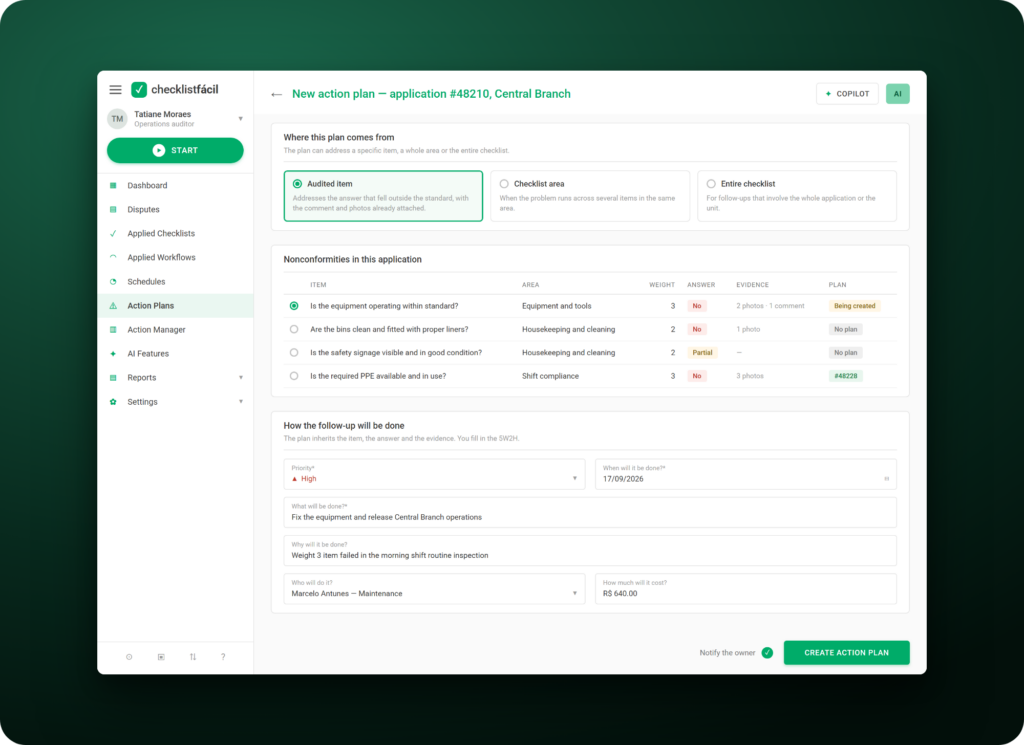
NONCONFORMITIES
Create Action Plans for audited items, areas, or entire checklists, and organize resolutions whenever you identify a problem or improvement opportunity.
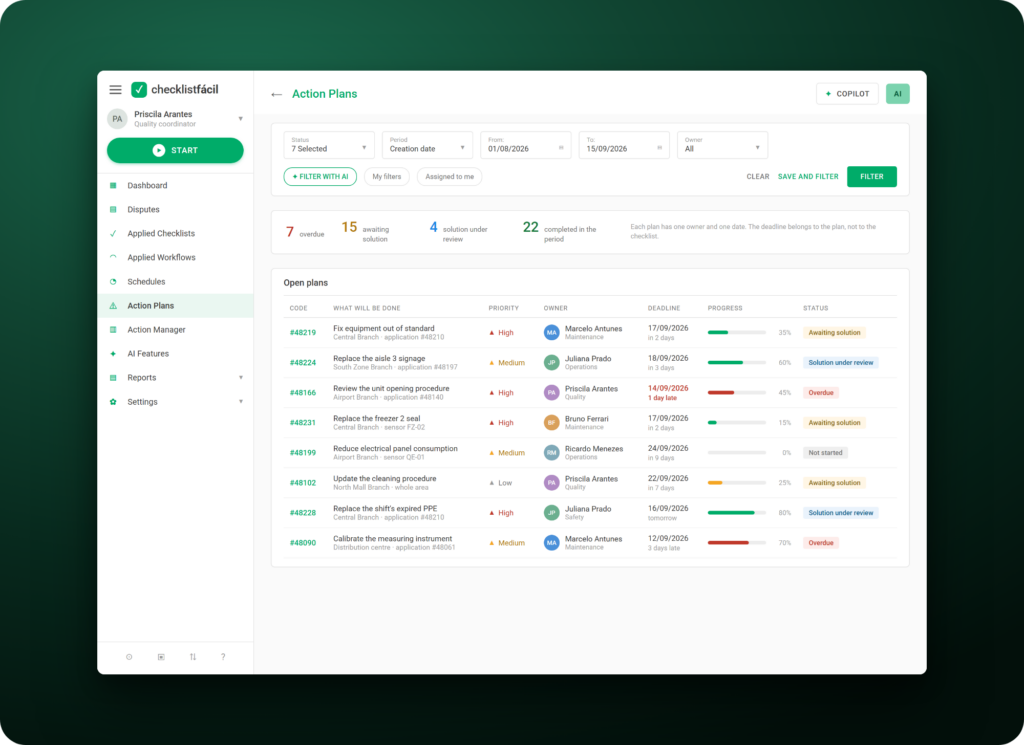
OWNERS
Route each activity to the people involved, set deadlines, and track action progress through to completion.
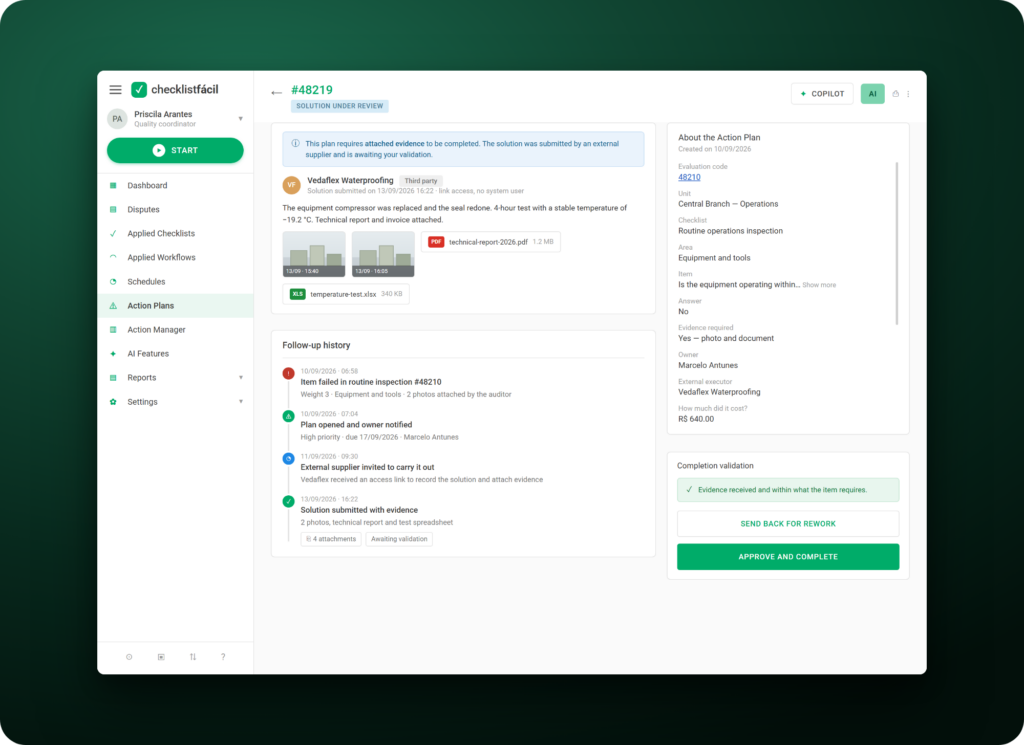
EVIDENCE
Request evidence, track progress, and validate action completion, even when third parties are involved.
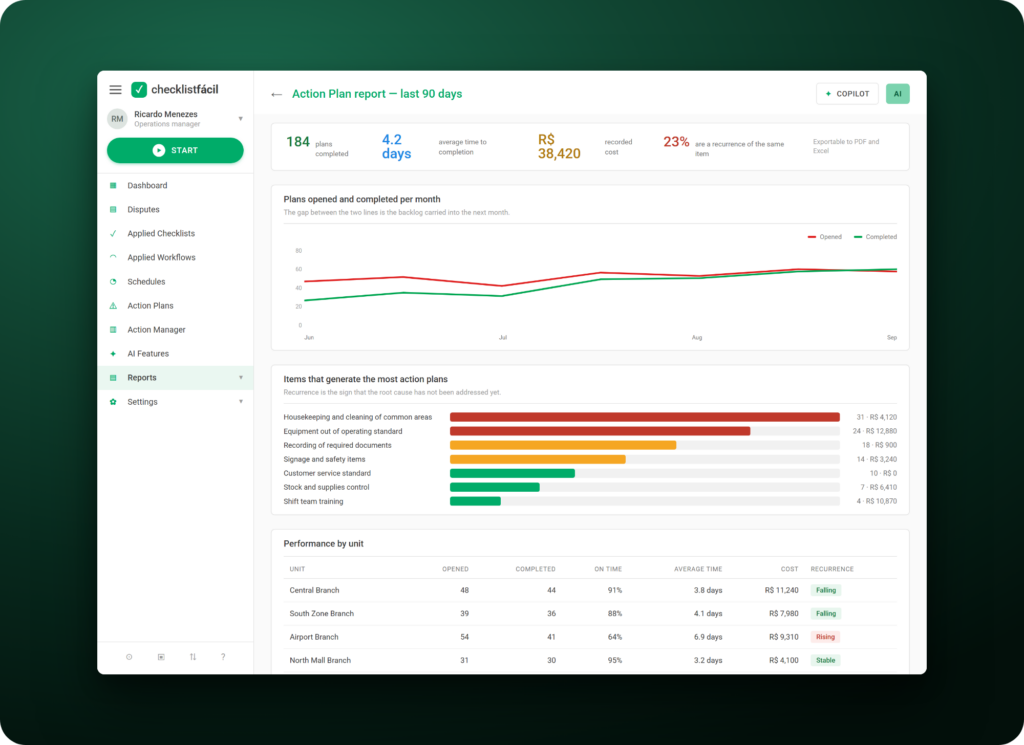
RESULTS
Track costs, indicators, and history to assess the impact of implemented actions and identify opportunities for continuous improvement.
JOURNEY
Structure resolutions, distribute responsibilities, and track each action through to completion.
Log a nonconformity or improvement opportunity while applying the checklist.
Define what needs to be done, and set owners, deadlines, and the information needed for execution.
Monitor activity progress and request evidence to track the evolution of resolutions.
Evaluate results, review action history, and identify recurrences or new improvement opportunities.
FEATURES
Organize actions, owners, and information to track every stage of resolutions more efficiently.
Create specific resolutions based on each identified problem or opportunity.
Route actions to teams, professionals, or third parties involved in the resolution.
Set dates and track execution through to activity completion.
Log information that proves the progress and completion of actions.
Review records, history, and key information about resolutions carried out.
Track indicators and assess the impact of implemented initiatives.
Use past records to support decisions and identify recurring problems.
Use Artificial Intelligence features to support analysis and make processes more efficient.
ACTION MANAGEMENT
Centralize information and simplify corrective action management, from problem identification to solution validation.
Create actions for items, areas, or entire checklists according to your operation’s needs.
Distribute resolutions among teams and professionals and keep responsibilities clearly defined.
Monitor dates and track activities that are open, in progress, completed, or overdue.
Review submitted records and validate the completion of planned activities.
Use history, indicators, and past information to assess the effectiveness of actions.






















We have plans to expand the company, and this will lead to increased use of Checklist Fácil. Administrative departments have been discovering different ways to use it; there is always an opportunity to improve processes.

With Checklist Fácil, we have the peace of mind of knowing we won’t lose products in the cold storage room. We can leave on Friday and relax at home over the weekend because, if anything happens, the system will notify us. Everything changes when you encounter technology like this—technology that brings security to our processes, our company, and our equipment.

Decentralized processes and systems made information management for improvement actions quite difficult. Today, we are able to integrate all information from the controls of our Quality Management System, Environmental Management System, and Occupational Health and Safety System.
START NOW
Join over 2,300 companies using AI-powered Operational Intelligence to drive more strategic results
FAQ
It’s a record used to document an identified problem or deviation and define what will be done to resolve it. In Checklist Fácil, the default template uses the 5W2H methodology.
An Action Plan can be created during a checklist inspection or whenever you need to log a resolution for a nonconformity or improvement opportunity.
Yes. You can create Action Plans for a specific item, an entire area, or the whole checklist.
Yes. You can assign owners to activities to make tracking resolutions easier.
Yes. You can set dates and track execution through to the completion of planned activities.
Yes. The Action Plan lets you track evidence and validate activity execution, even when the resolution involves third parties.
Yes. Official documentation states that owners without access to Checklist Fácil can track and log the solution to an Action Plan by email.
