
Create the flow
Define the sequence of stages and link the checklists needed for each part of the process.
WORKFLOW
Automate steps in your operation, assign owners, and ensure the correct execution order with more control and traceability.

BENEFITS
Centralize processes in structured workflows, connect teams, and track every stage of your operation in one place.
CONTROL
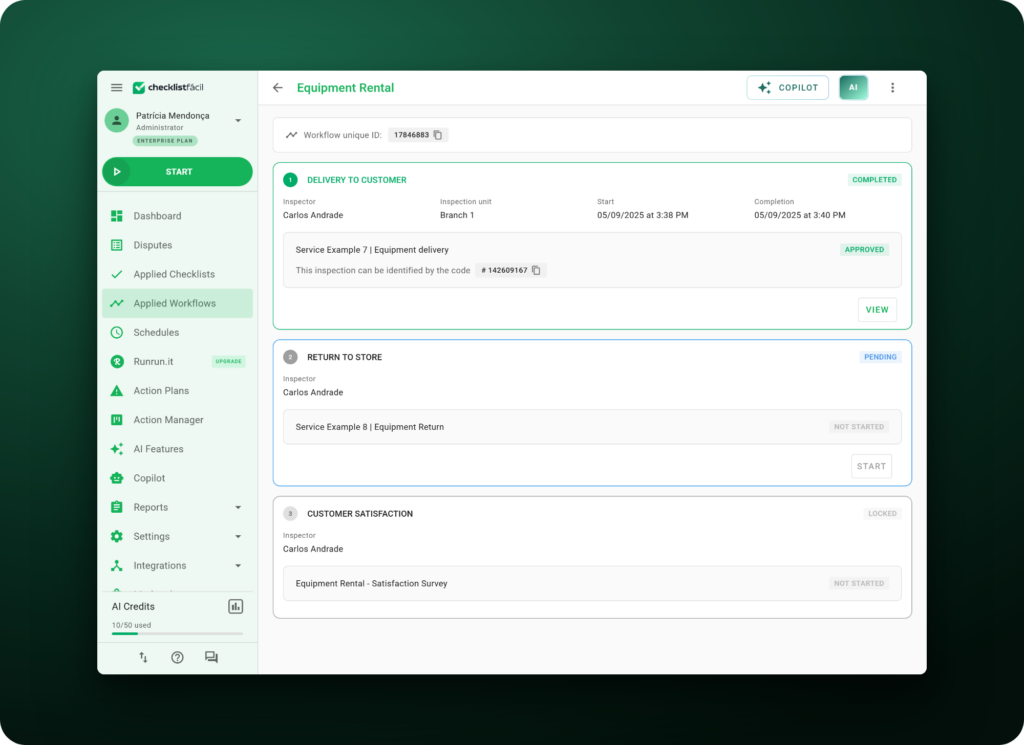
Link checklists to different stages of the process and track the progress of each activity in a single flow. Gain more visibility into what’s already been completed and what still needs to be done.
PROCESSES
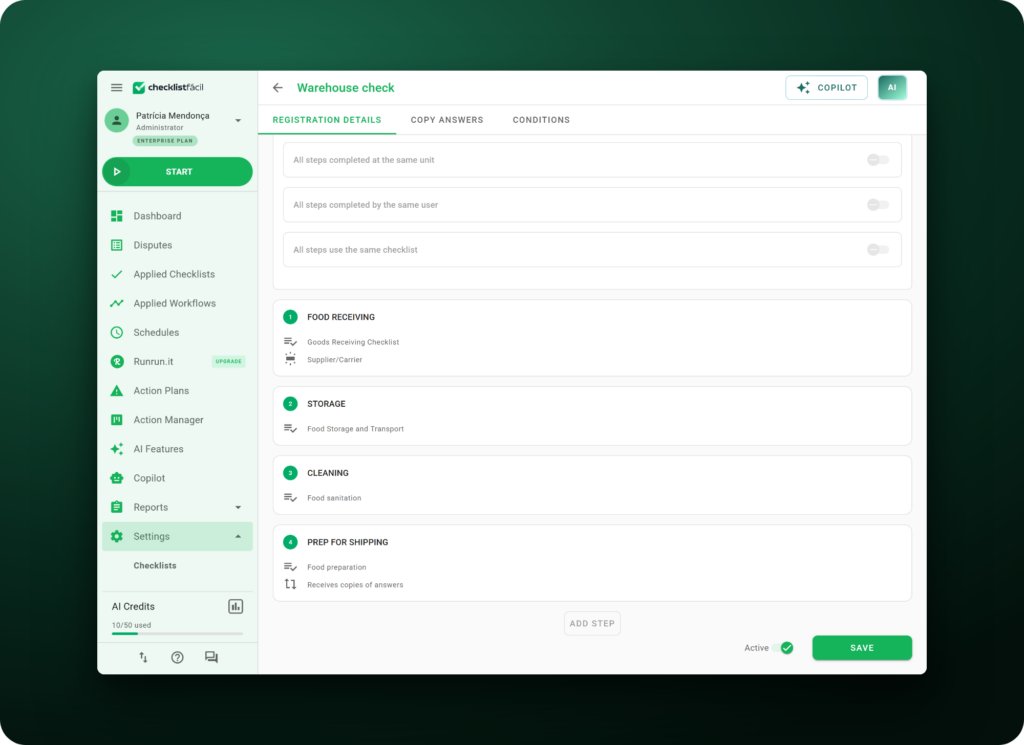
Organize activities in a logical sequence and connect different stages of your operation. Ensure more traceability, organization, and control over process execution.
TEAMS
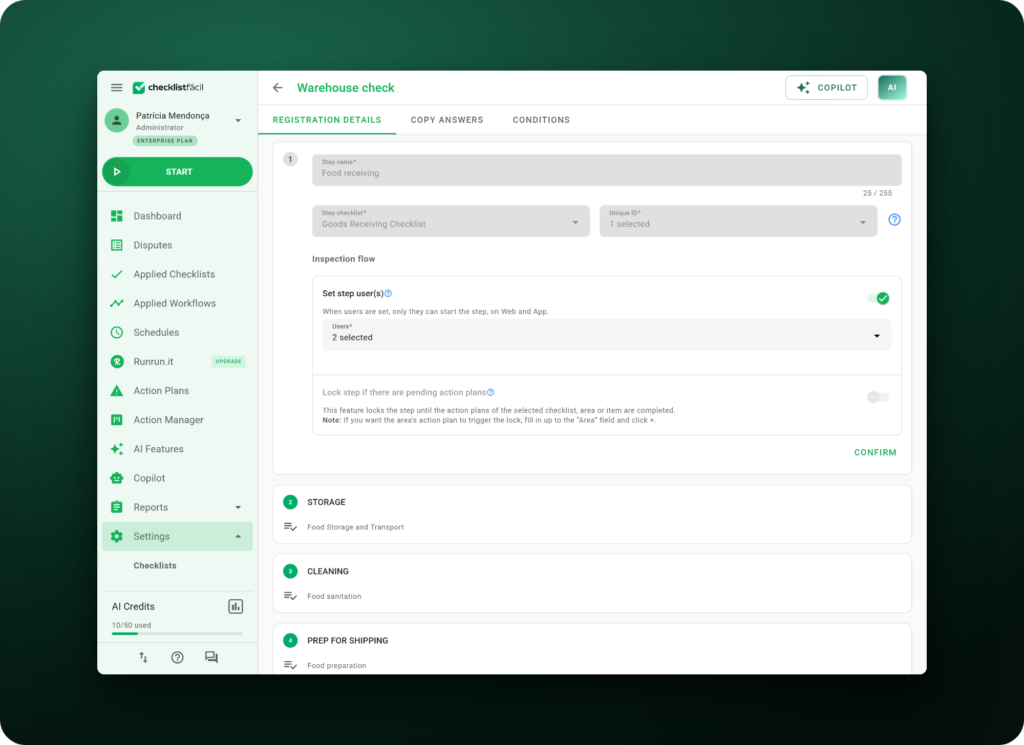
Distribute stages among different teams, areas, and locations without losing sight of the complete process. Make collaboration easier and keep everyone aligned on their responsibilities.
TRACEABILITY
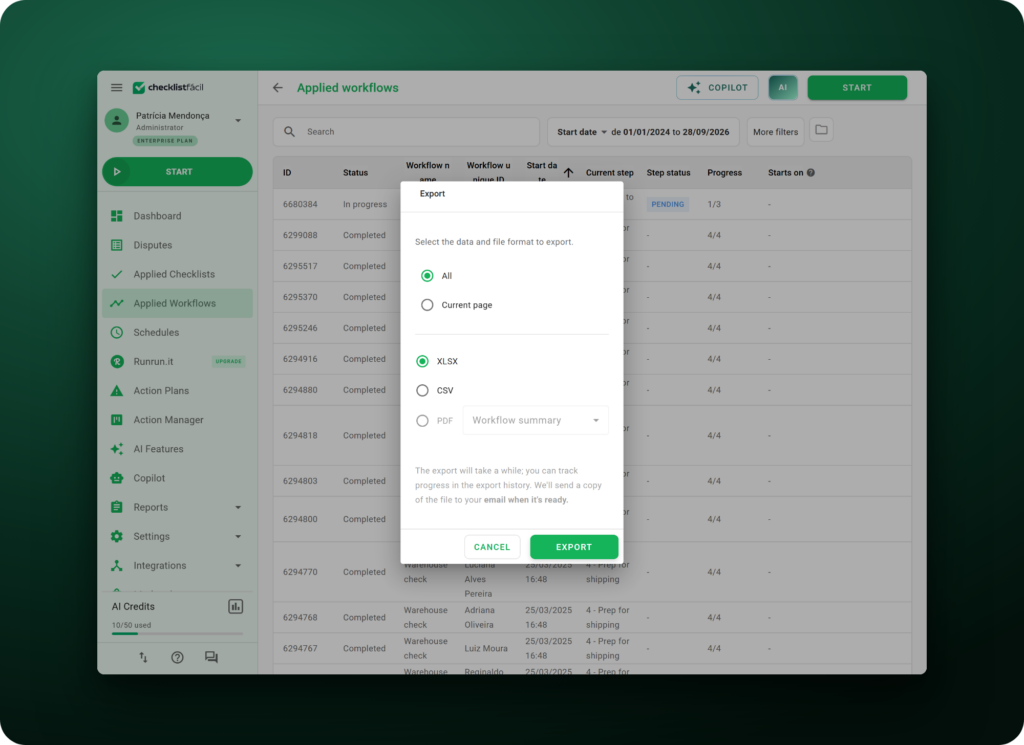
Keep activity records organized and export process information in different formats, such as PDF and Excel. Make lookups, analysis, and audits easier with a complete execution history.
HOW IT WORKS
Structure the process, distribute responsibilities, and track the execution of each stage through to completion.
Define the sequence of stages and link the checklists needed for each part of the process.
Determine who should carry out each stage, including professionals, areas, or locations.
Start the Workflow and follow the defined sequence according to the rules configured for the process.
Track the progress of each stage, review results, and quickly identify the status of each flow.
FEATURES
Set up rules, responsibilities, and deadlines to make your processes more organized and predictable.
Release activities only after previous stages have been completed.
Route each stage to specific professionals, departments, or locations.
Set dates and track activity execution within planned time frames.
Block flow progression until configured conditions are met.
Track process progress and analyze information collected in the flows.
Copy answer patterns between stages to reduce repetitive tasks.
Connect different areas within the same process and make communication easier between everyone involved.
Track the status, decisions, and progress of each stage directly in the Workflow.
AUTOMATION
Structure simple flows or set up more advanced rules according to your operation’s complexity.
Build a sequence of stages and link checklists to each phase of the process.
Assign owners, areas, or locations to each stage.
Set conditions to prevent flow progression until defined requirements are met.
Set execution times and intervals between activities to keep the process on track.
Start Workflows via external links when the process requires participation from external teams.























Learn about the experiences of companies that transformed processes, gained more control, and increased operational efficiency with Checklist Fácil.
We have plans to expand the company, and this will lead to increased use of Checklist Fácil. Administrative departments have been discovering different ways to use it; there is always an opportunity to improve processes.

With Checklist Fácil, we have the peace of mind of knowing we won’t lose products in the cold storage room. We can leave on Friday and relax at home over the weekend because, if anything happens, the system will notify us. Everything changes when you encounter technology like this—technology that brings security to our processes, our company, and our equipment.

Decentralized processes and systems made information management for improvement actions quite difficult. Today, we are able to integrate all information from the controls of our Quality Management System, Environmental Management System, and Occupational Health and Safety System.
FAQ
Understand how Workflow works and get answers to the most common questions about setup, stages, owners, and process tracking.
It’s a module that lets you organize different stages of a process in a structured sequence, linking checklists, owners, and execution rules.
Yes. Each Workflow stage can have a checklist associated with the process.
Yes. You can route stages to different professionals, areas, or locations.
Yes. Workflow lets you create interdependencies and rules to control stage progression.
Yes. You can track stage status, owners, and what’s already been completed directly in the applied Workflow.
Yes. Workflows can be started and continued from the app, as long as there’s an internet connection to start a new flow or load stages.
Yes. Data collected in the flows can be tracked in management reports.
