

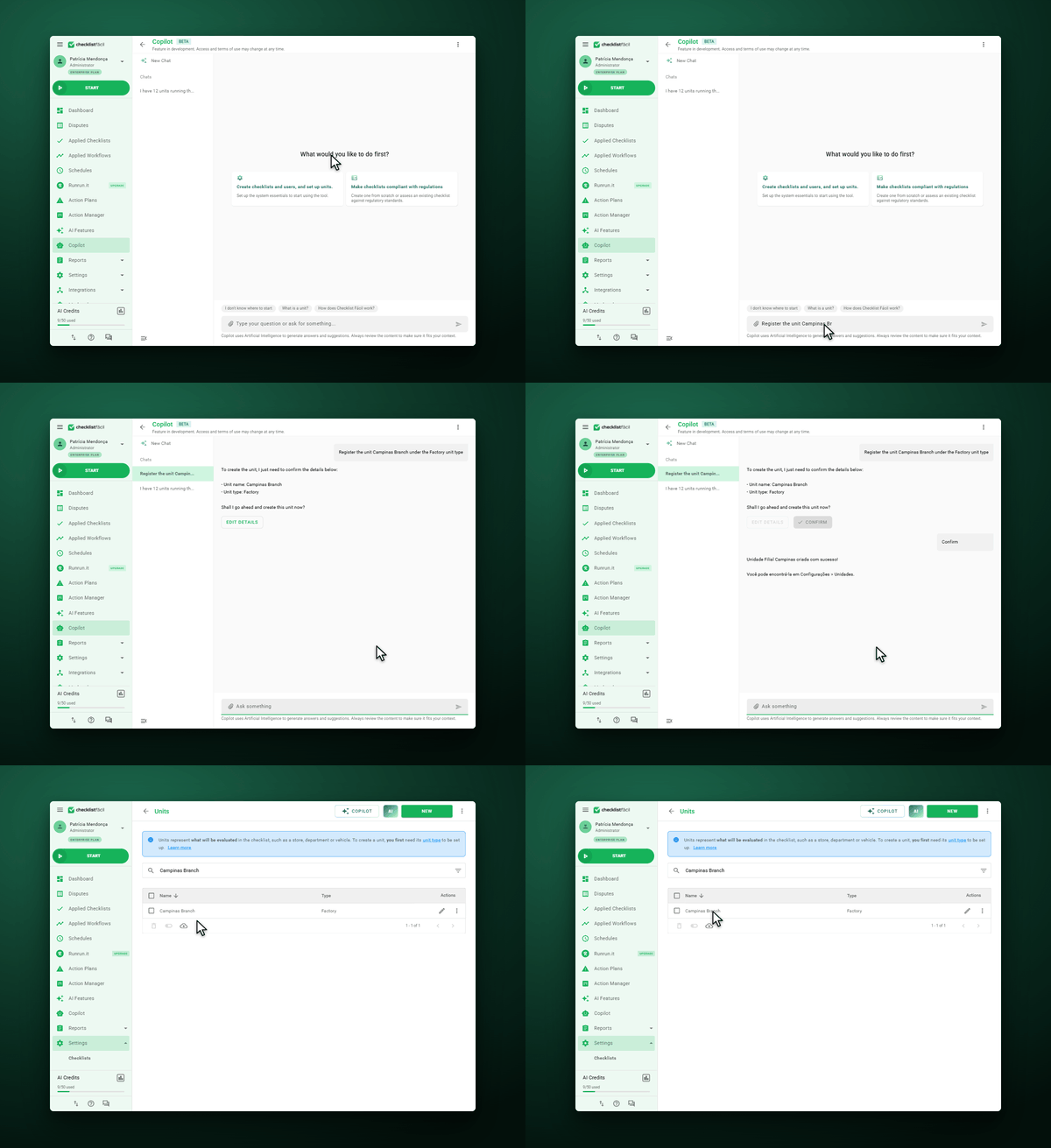
step 1
Setup and Onboarding
Use a conversational assistant to support your first steps and initial account setup.
ARTIFICIAL INTELLIGENCE
Use advanced AI features to automate inspection analysis, perform visual inspections with image recognition, and generate structured checklists in seconds from existing forms.

CHALLENGES
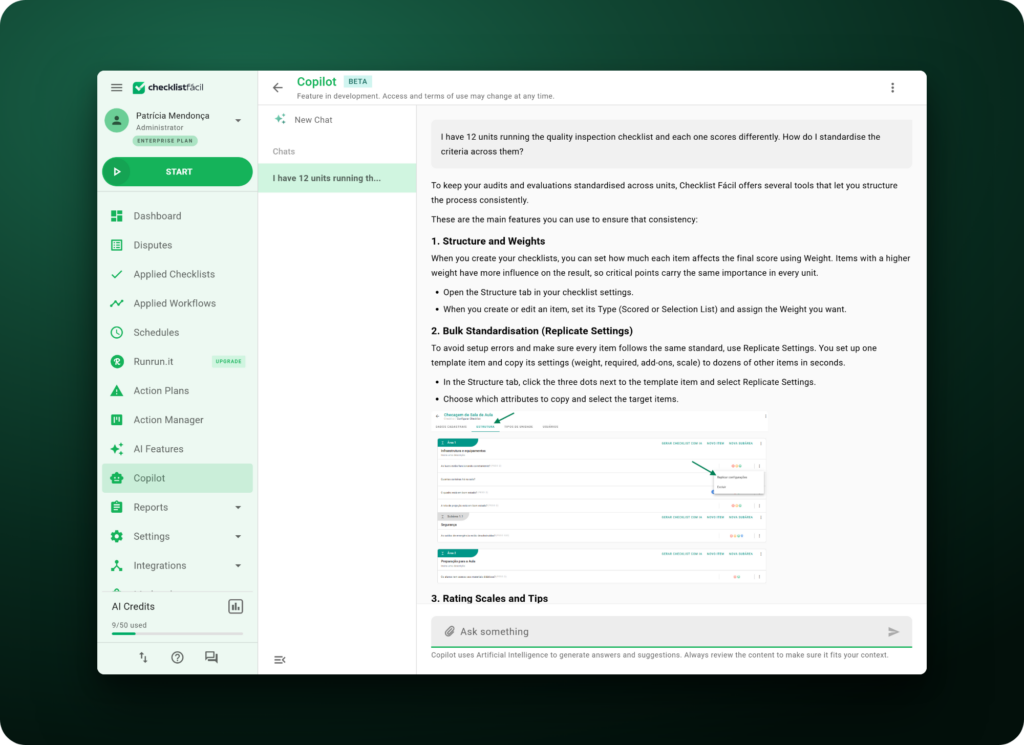
STANDARDIZATION
Reduce differences in routine execution and make it easier to compare data across locations.
Use Artificial Intelligence to support more consistent processes and centralized management.
NONCONFORMITIES
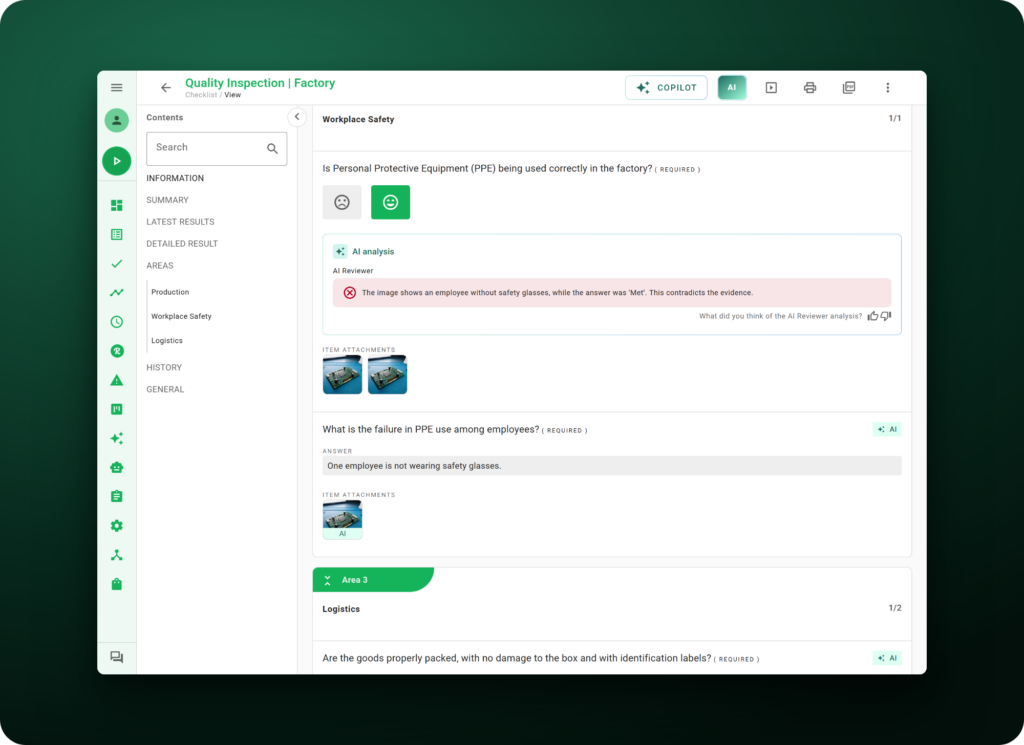
Automate steps in inspection analysis and reduce the time needed to find answers outside expected standards.
Direct your teams’ attention to the points that actually need review.
CREATION
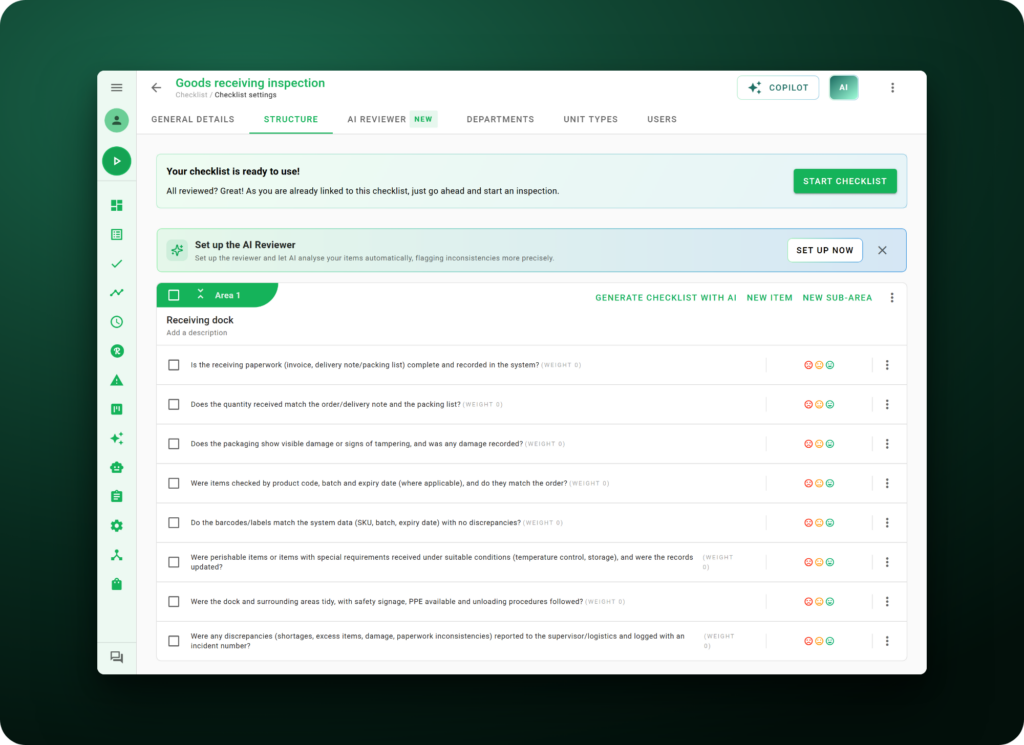
Use Artificial Intelligence to generate questions from a topic or turn existing files into structured checklists.
Reduce repetitive tasks when creating forms.
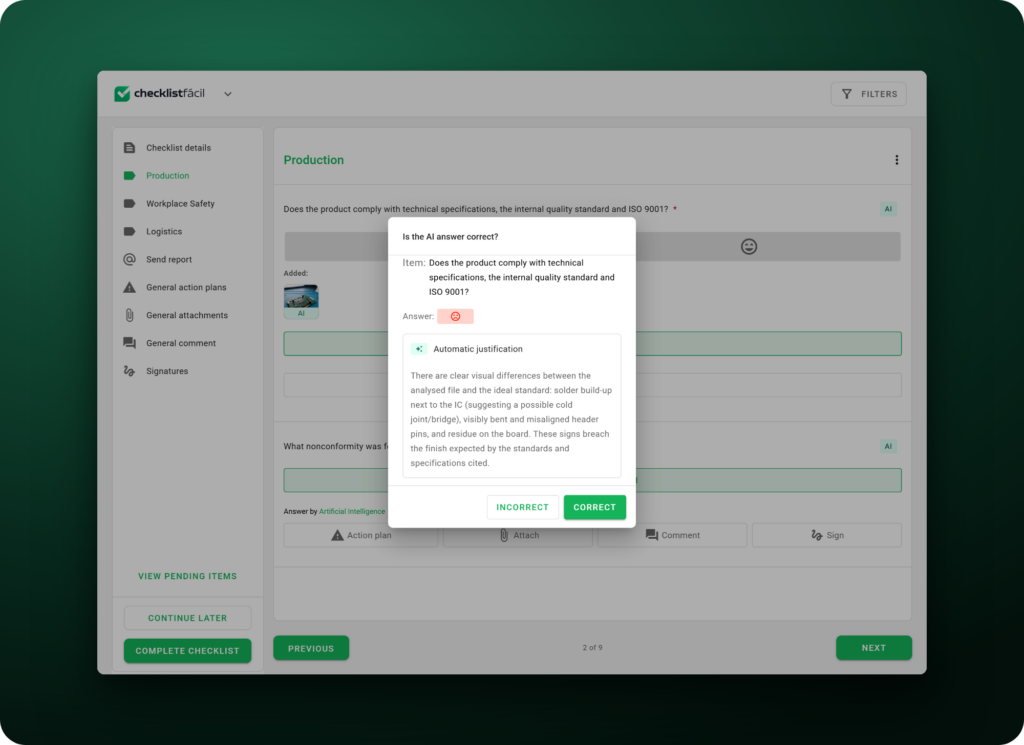
INSPECTIONS
Use voice, image recognition, and automatic analysis features to support different moments of the inspection.
Gain speed without sacrificing information standardization.
JOURNEY + AI
From setup to audit, use Artificial Intelligence to automate analysis, reduce errors, and turn execution into actionable decisions.
step 1
Use a conversational assistant to support your first steps and initial account setup.
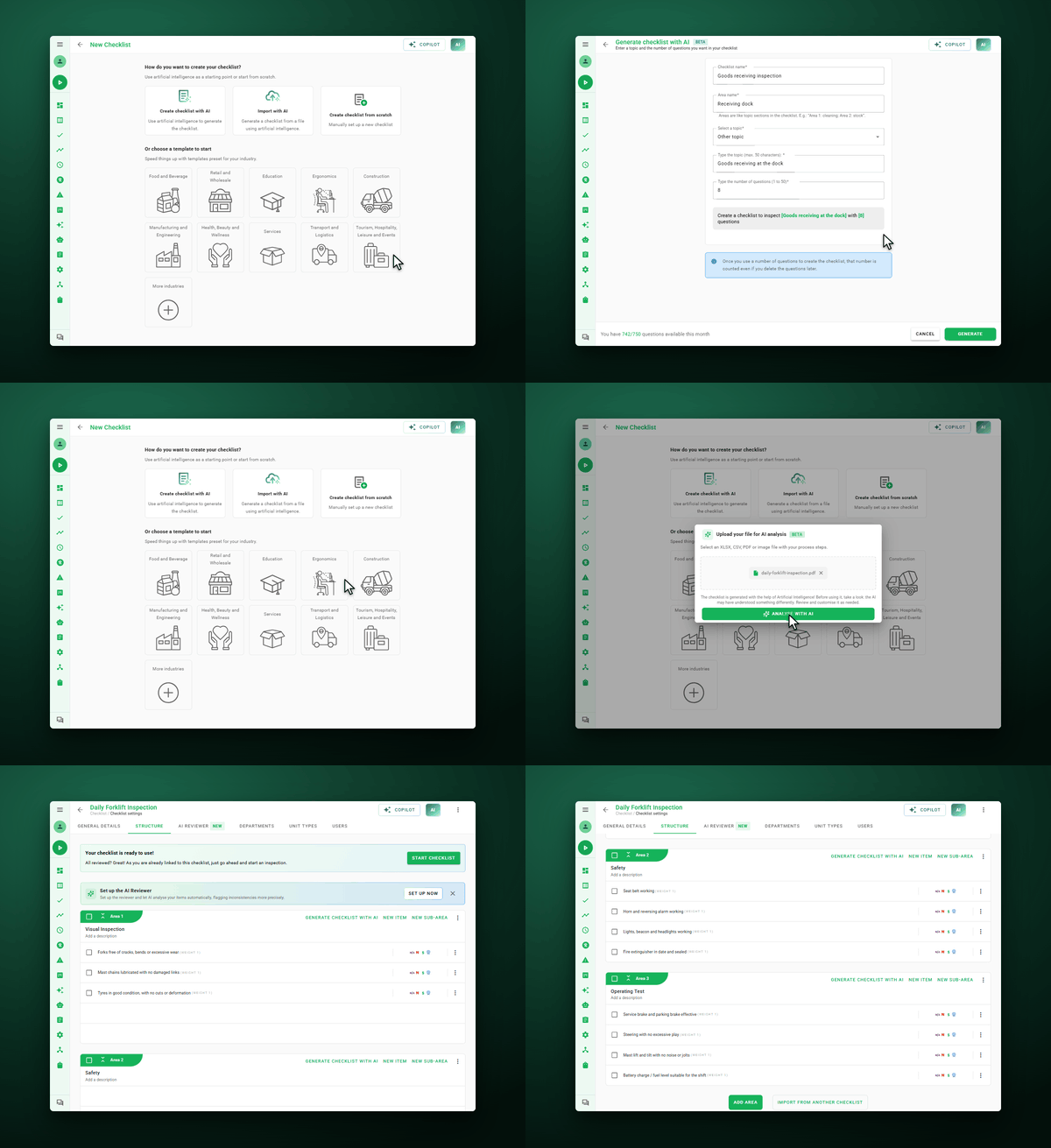
step 2
Generate questions from a topic or turn spreadsheets, PDFs, and images into an initial checklist structure.
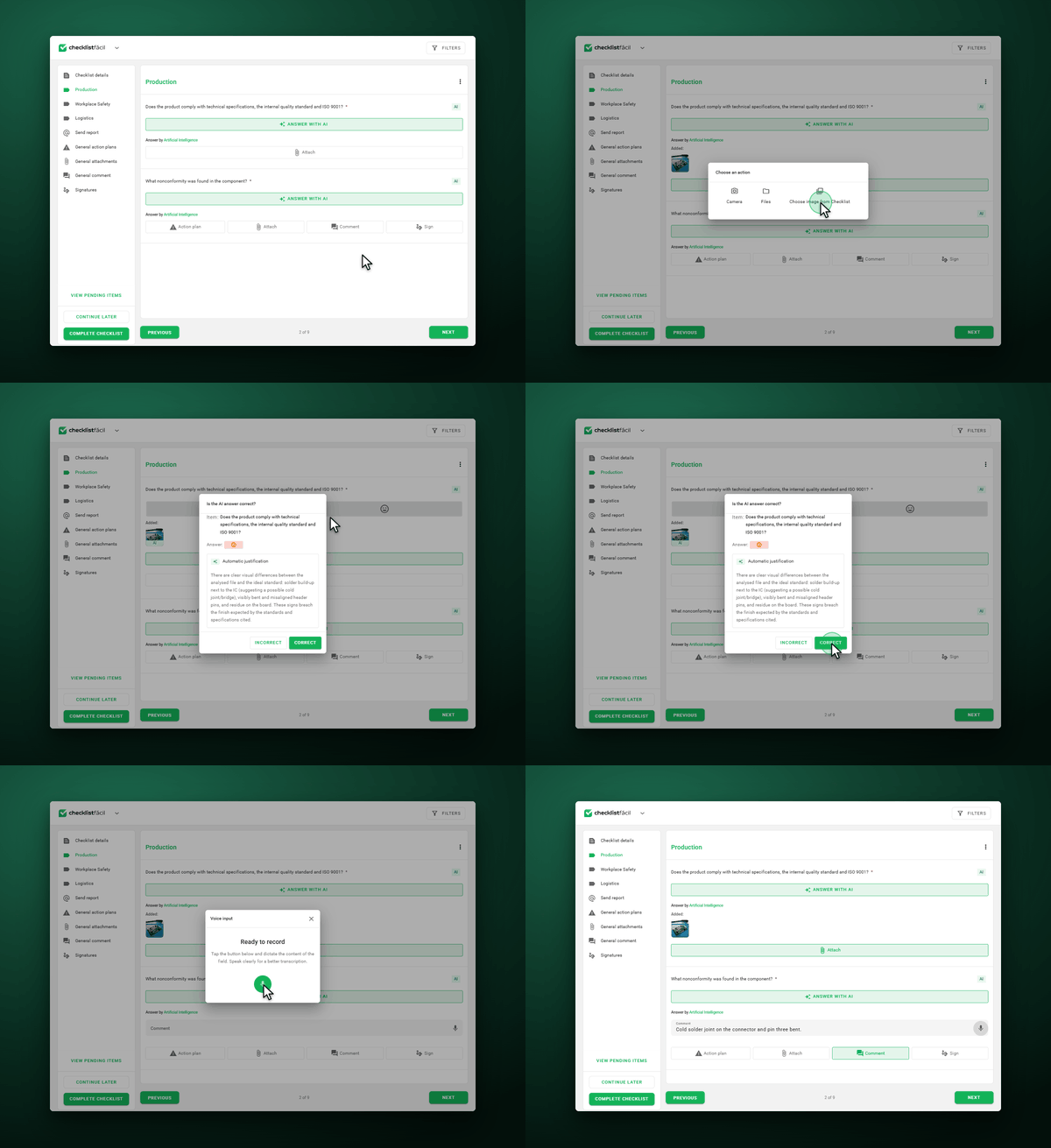
step 3
Fill out inspections by voice with AI Responder and use image recognition with Smart Response.
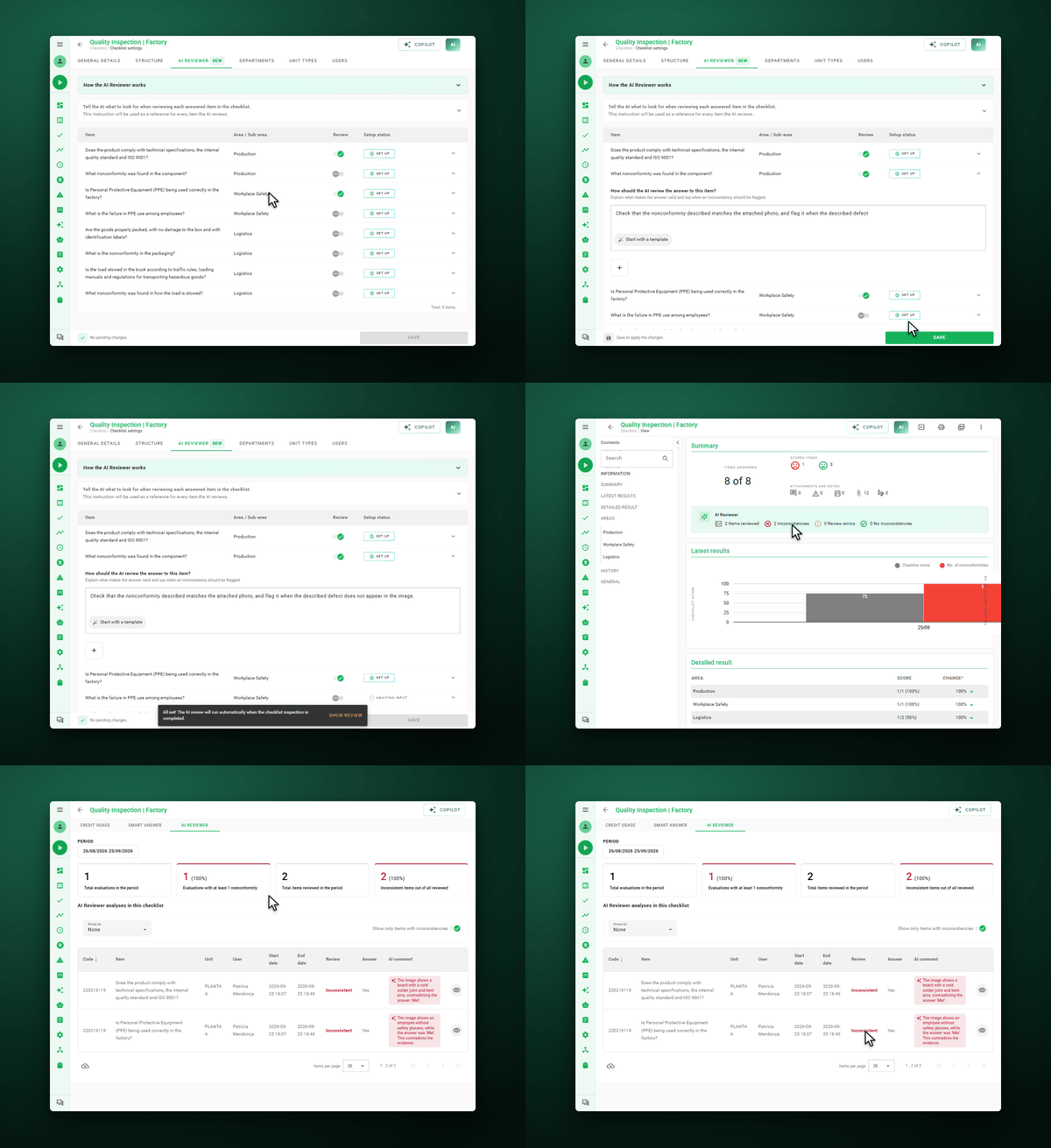
step 4
Use AI Reviewer to analyze inspections and identify inconsistencies between recorded answers and expected criteria.
BENEFITS
Use Artificial Intelligence features to improve operational performance, reduce manual tasks, and support decisions with more organized data.
Use inspection data to identify patterns and improve your questionnaires over time.
Automate repetitive tasks and free up your teams’ time for analysis and more strategic activities.
Organize information and use operational data to support more consistent decisions.
Build, edit, and adjust checklists faster in your daily routine.
See how companies across different industries use Checklist Fácil to optimize processes, increase efficiency, and strengthen their operations.
We have plans to expand the company, and this will lead to increased use of Checklist Fácil. Administrative departments have been discovering different ways to use it; there is always an opportunity to improve processes.

With Checklist Fácil, we have the peace of mind of knowing we won’t lose products in the cold storage room. We can leave on Friday and relax at home over the weekend because, if anything happens, the system will notify us. Everything changes when you encounter technology like this—technology that brings security to our processes, our company, and our equipment.

Decentralized processes and systems made information management for improvement actions quite difficult. Today, we are able to integrate all information from the controls of our Quality Management System, Environmental Management System, and Occupational Health and Safety System.























START NOW
Join over 2,300 companies using AI-powered Operational Intelligence to drive more strategic results
FAQ
AI features support different stages of inspections, including form creation, filling out, image recognition, and reviewing completed inspections.
Yes. You can generate questions from a topic and use existing files as a basis to structure checklists.
Yes. Features like AI Responder and Smart Response support filling out inspections while they’re being carried out.
AI Reviewer analyzes inspections and helps identify inconsistencies between recorded information and defined criteria.
Yes. Smart Response uses image recognition to support visual inspections.
Yes. Spreadsheets, PDFs, and images can be used to generate an initial checklist structure with AI.
